
hotedit: edit the HTML reports your AI writes, right in the browser
An open-source tool that makes any HTML file editable in the browser: click text and type, restyle and drag blocks, and change Plotly, Chart.js, Vega-Lite and Mermaid charts in a form. Every change is written back into the original file as a minimal byte patch. It doesn't change what the AI makes, only lets you edit it afterwards. A Claude Code plugin and a Codex hook open every report an agent writes, ready to edit; an MCP server and an in-page ✨ chat let an AI change just the block you point at.
hotedit
Your AI wrote the report. Now edit it yourself.
Free and open source (MIT) · npx hotedit report.html · on npm, the MCP Registry and as a Claude Code plugin
AI assistants now write a lot of HTML: research reports, dashboards, analysis summaries. Mine certainly do. They look great until one number is wrong. Then the choice is to dig through two thousand lines of generated markup, or ask the AI again and hope it doesn't quietly change something else. hotedit is the third option: open the page in your browser, click what you want to change, and change it.
- First commit → on npm
- same day
- Chart libraries
- 4
- Automated tests
- 124
- Works with
- Claude Code · Codex · MCP
Same report, now editable
The rule I cared about most: hotedit must not make the AI's work worse. It doesn't ask the model to write simpler pages. It takes the report exactly as the AI made it, at the same quality, with the same charts, design and depth, and only adds editing on top. Nothing is re-generated, nothing is added to the file.
That rule shaped how it works:
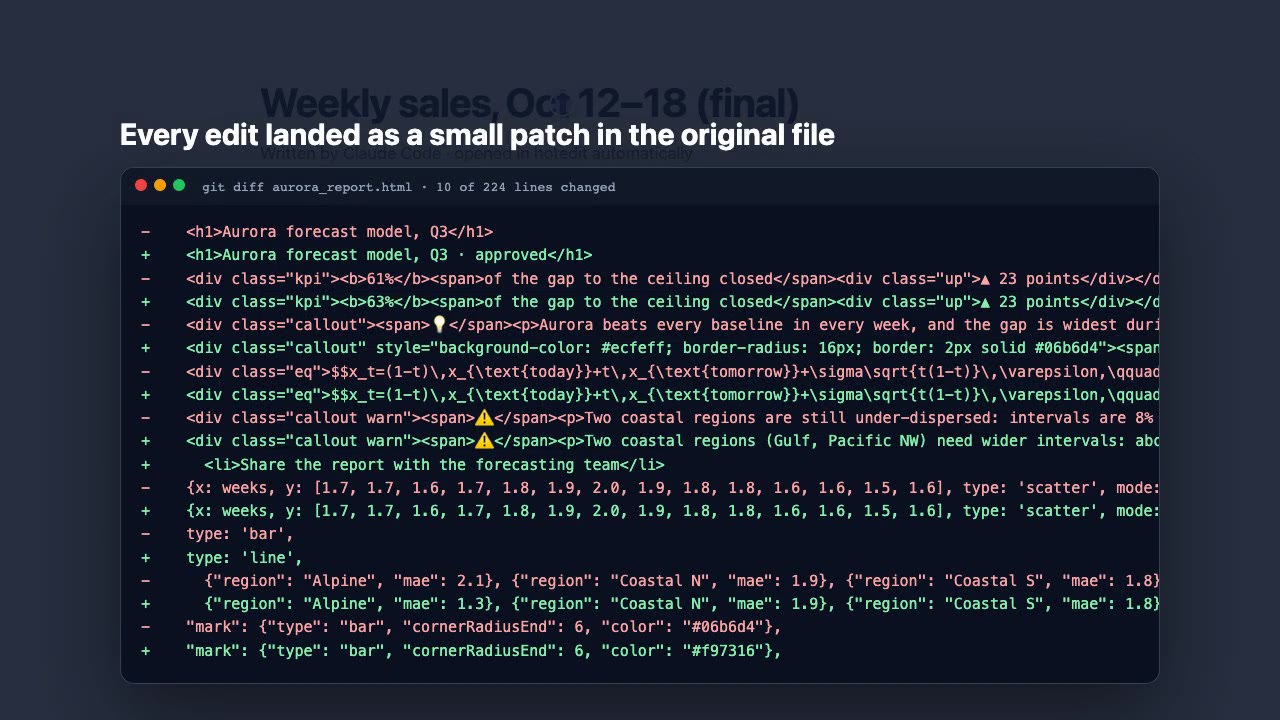
- Edits are byte patches, not re-writes. The page is parsed with parse5, keeping the source position of every element. The browser gets a copy with element ids and an editor overlay in a shadow DOM; the file on disk never sees either. Each edit is mapped back to the exact bytes it came from, so entities, quote styles, indentation and comments elsewhere stay identical, and the git diff shows only what you changed.
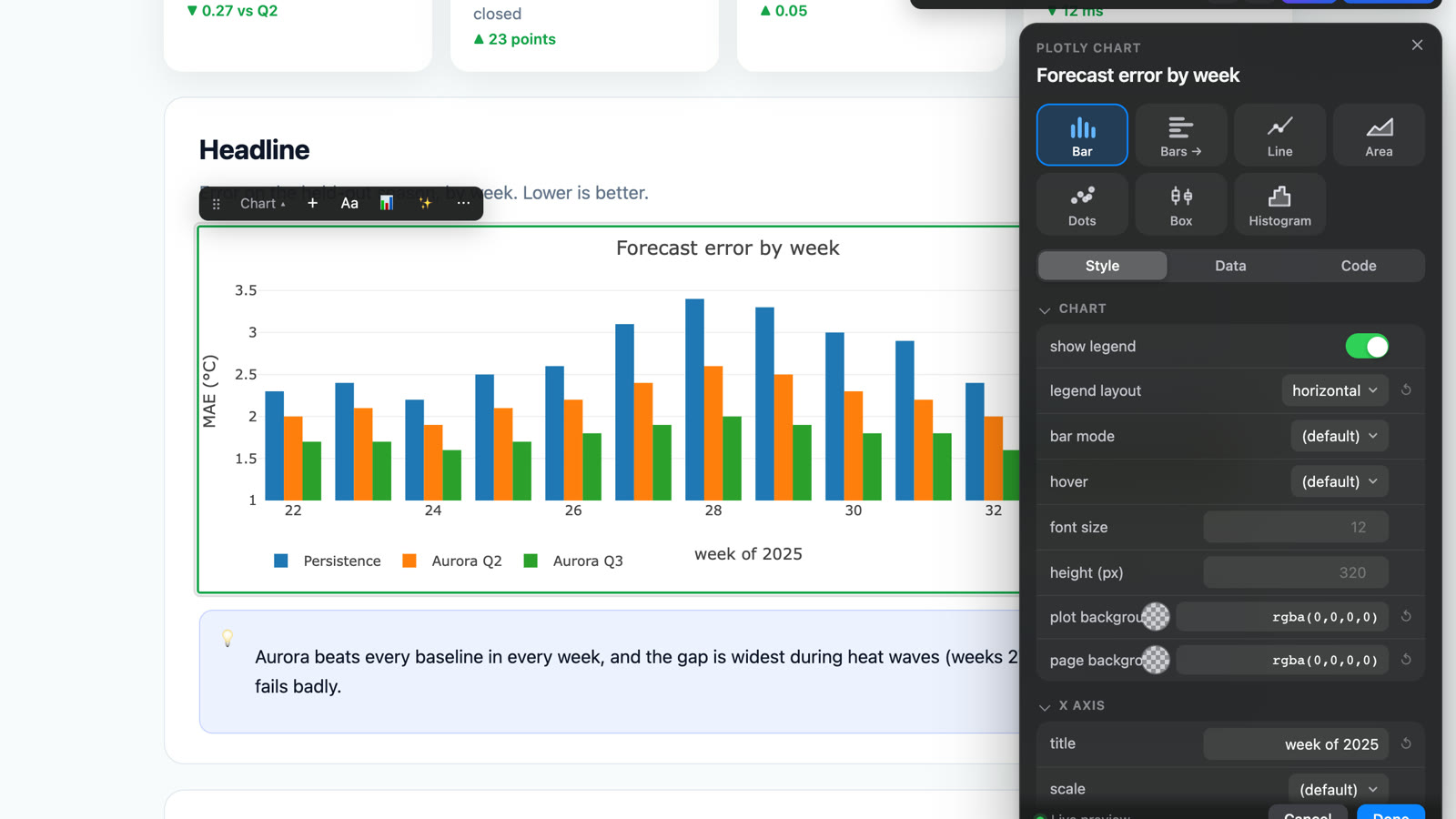
- Charts are edited in their own source. Click a Plotly, Chart.js,
Vega-Lite or Mermaid chart and you get type tiles (bar, line, area, pie…)
that redraw live, a form for titles, axes, colours and legend, and an
editable data table. The spec literal in the page's
<script>is patched value by value, in its own quote and key style. - Generated things open as source. KaTeX maths, Mermaid output and script-built tables are never saved as frozen rendered HTML.
Built for working with agents
The reports come from agents, so the agents should hand them over ready to edit:
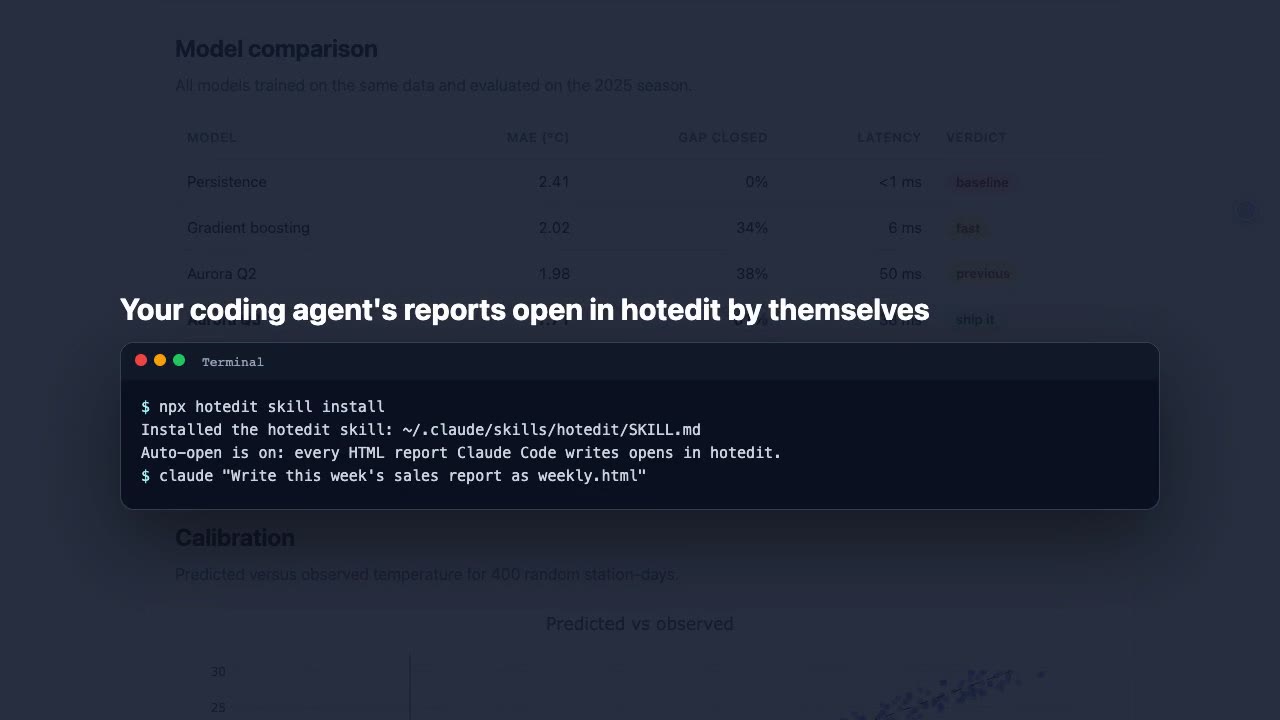
- Auto-open. Install the Claude Code plugin (or the Codex hook) once, and
every HTML report the agent writes opens in hotedit in your browser
automatically. Pages that belong to an app or website (under
src/,public/, with template tags…) are left alone, and the background server stops itself once you close the page. - Live edits, no blinking. An MCP server gives any agent
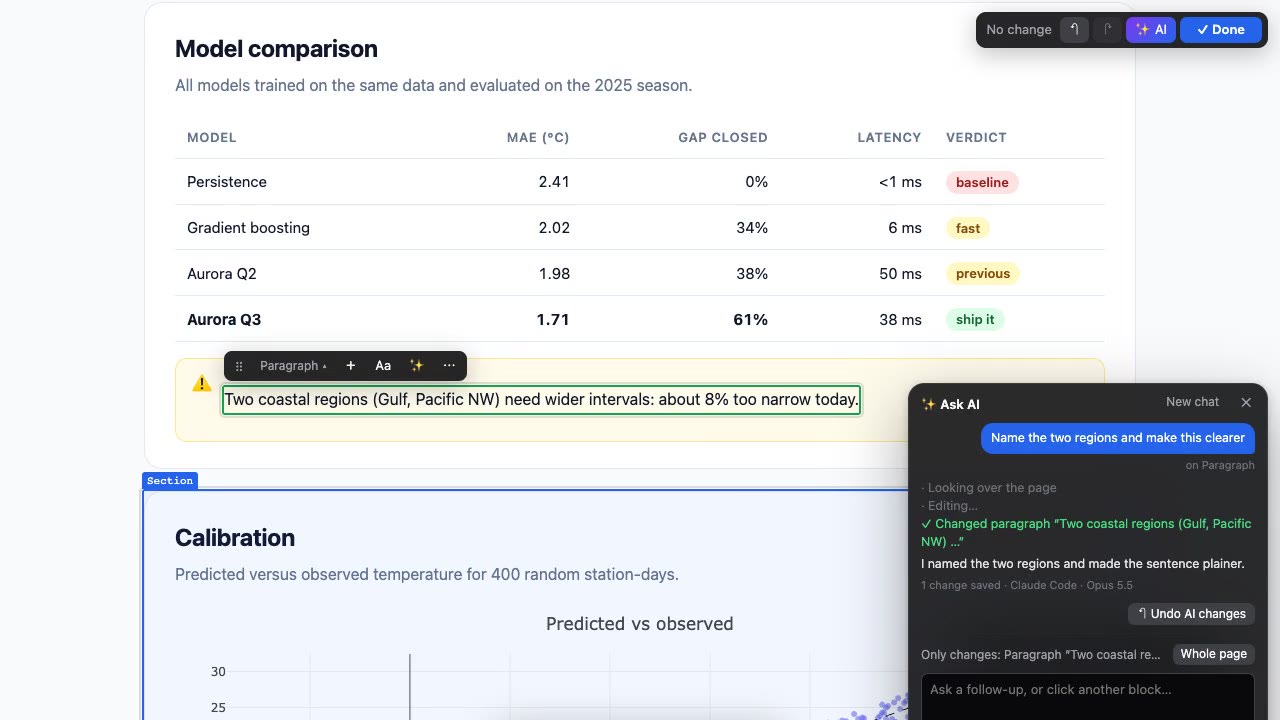
open,outline,readandedit. Its edits, and edits from anywhere else, are patched into the open page in place, without a reload, so the page keeps its scroll position and charts redraw. - ✨ Ask AI about one block. Select a paragraph, chart or section and say what should change. The AI (your Claude Code or Codex login, an API key, or any agent CLI) can only touch that block: the server rejects edits anywhere else. It's a chat, so follow-ups know what came before, and every reply says which model answered.
How I built it
- Plain Node, three runtime dependencies. parse5, entities and the
Anthropic SDK. No framework, no build step;
npx hoteditworks on a clean machine. - Tested on real, messy pages. Every test page is opened, every editable element is saved unchanged, and the file must stay byte-identical; every real edit must produce exactly the expected diff. Browser tests run in Playwright on each push.
- Shipped like a product. A narrated tour and a social cut, both recorded from the real tool with Playwright and voiced with ElevenLabs; a Claude Code plugin and marketplace, an MCP Registry listing, and starter issues for contributors.
hotedit is young and contributions are welcome. Try it with
npx hotedit demo, and if one of your AI-written pages won't edit, open an
issue with the file.